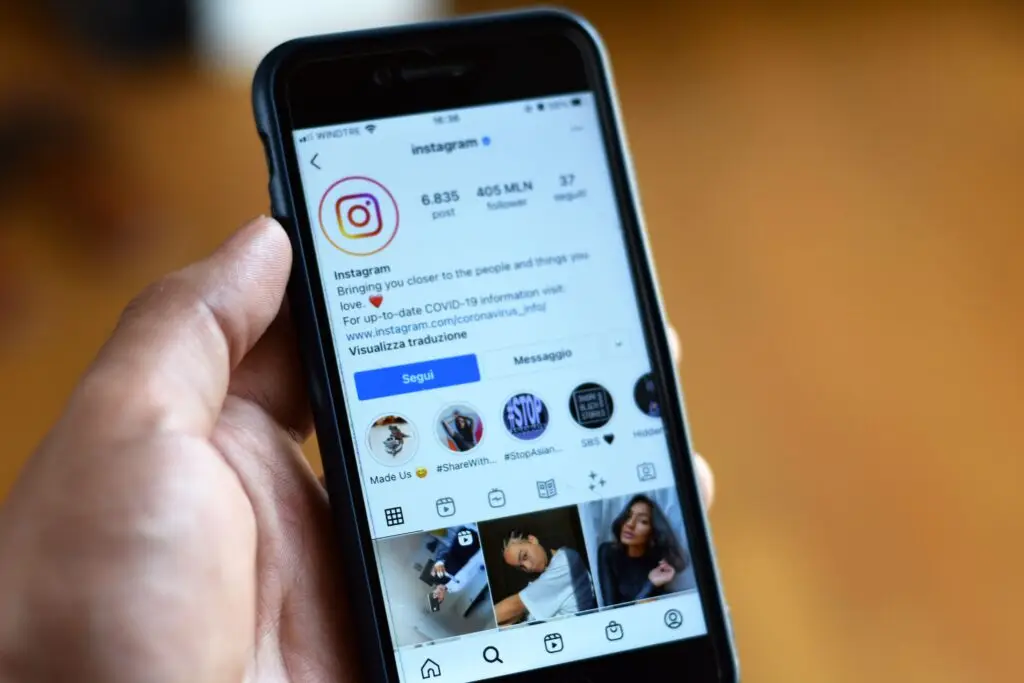
The best time to post on social media for most small businesses is midweek, usually Tuesday or Wednesday, between late morning and late afternoon in your audience’s local time. But that’s only a starting point. The real best time to post is when your customers are scrolling, and every business’s audience is a little different.
Content matters most, but timing plays a bigger role than most business owners realize. This guide covers the best times to post on each major platform, why they work, and how to find the windows that work for your business.
TL;DR
- Midweek, midday is the safest bet. Across platforms, Tuesdays and Wednesdays from about 11 a.m. to 6 p.m. local time tend to get the most engagement.
- Weekends are usually the weakest. Sunday is typically the lowest-engagement day of the week for business accounts.
- Every platform is a little different. LinkedIn peaks during the workday, while Facebook and TikTok stay strong into the evening.
- The studies don’t all agree on the “best” posting times, which is why testing your own account matters.
- Your own analytics are the final word. Instagram, Facebook, and TikTok all show you when your followers are online, for free.
Why Timing Matters for Small Businesses
Social media feeds aren’t just a list of the newest posts anymore. Every major social media platform, from Instagram to LinkedIn, uses an algorithm to decide what each person sees. One of the biggest signals those algorithms watch is how people react to a post in the first hour or so after it goes live.
If you publish when your followers are offline, your post gets little engagement during that critical early window, so the algorithm shows it to fewer people. Post during your audience’s peak times, and early likes, comments, and shares tell the algorithm to push it out further.
For a small business doing its own marketing on social media, without a big ad budget or a full-time social media manager, that difference adds up. Getting your post time right is one of the easiest, free ways to stretch the reach of content you’re already creating.
Best Times to Post on Social Media at a Glance
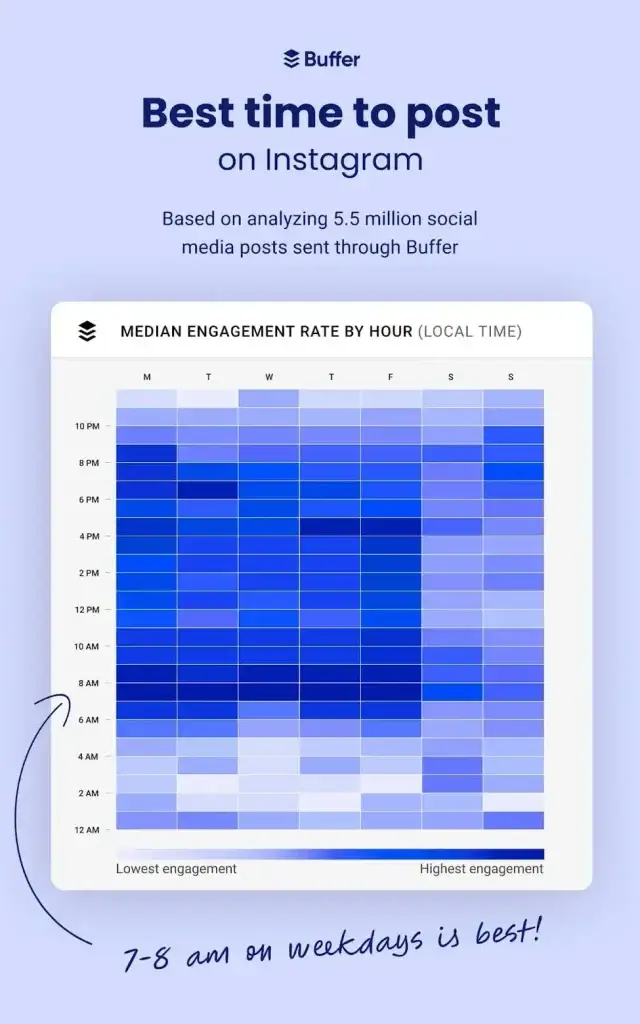
The most widely cited data on this topic comes from Sprout Social’s 2026 study, which looked at nearly 2 billion engagements across roughly 307,000 social profiles between November 2025 and February 2026. All times below are in your audience’s local time zone, so if your customers are in Utah, read them as Mountain Time.
| Platform | Strongest Days | Best Time Windows | Weakest Times |
| Tuesday and Wednesday | Tue 1–7 p.m., Wed 12–9 p.m. | Weekends, early mornings | |
| Tuesday and Wednesday | 12–8 p.m. | Weekends, early mornings | |
| TikTok | Tuesday through Friday | 2–6 p.m. | Weekends, early mornings |
| Tuesday through Thursday | 11 a.m.–5 p.m. | Weekends, evenings | |
| X (Twitter) | Tuesday through Thursday | 12–6 p.m. | Weekends, early mornings |
| Tuesday through Thursday | 10 a.m.–1 p.m. | Weekends |
Notice the pattern? Nearly every platform peaks in the middle of the week and the middle of the day. People scroll on lunch breaks, during the afternoon slump, and as they wind down from work. Weekends, and Sundays in particular, tend to be the worst days because people step away from their screens.
Best Time to Post by Day of the Week
If you can only post on certain days, here’s where Sprout Social’s data puts the strongest window for each one:
| Day | Best Window | What to Expect |
| Monday | 10 a.m.–5 p.m. | Solid, but trails the midweek rush |
| Tuesday | 11 a.m.–6 p.m. | One of the two strongest days |
| Wednesday | 11 a.m.–6 p.m. | Ties Tuesday for peak activity |
| Thursday | 11 a.m.–5 p.m. | Still strong, especially on LinkedIn |
| Friday | 11 a.m.–2 p.m. | Tapers off as the weekend nears |
| Saturday | 11 a.m.–6 p.m. | Much lower activity overall |
| Sunday | No clear peak | Lowest engagement of the week |
Use these tables as your starting posting schedule, not your final one.
Best Time to Post on Instagram
Image: [Instagram Insights screenshot showing “Most active times”]
According to Sprout Social, the best time to post on Instagram is Tuesday from 1 to 7 p.m. and Wednesday from 12 to 9 p.m., with Monday and Thursday afternoons close behind. Instagram engagement tends to dip on weekends and early mornings.
Here’s the catch: not every study agrees on the best time to post on Instagram. Later’s 2026 analysis of more than 6 million posts found that very early morning, around 5 a.m. local time, earned the best engagement. Another study from Sociality.io found evenings performed best. Each company studies its own customers, who post different content to different audiences, so treat the data as a reminder to test.
Best Time to Post Instagram Reels
The best time to post on Instagram Reels can be different from regular feed posts. Because Reels are pushed to people who don’t already follow you, they can keep picking up views for days. Some data suggests posting Reels earlier than your feed posts helps. Later’s analysis of more than 975,000 Reels found that late-night and early-morning uploads earned strong engagement, likely because the algorithm has time to start showing the video before the daytime rush.
A practical approach for small businesses: post Instagram Reels in the morning or just before your audience’s midday peak, then watch your Reels insights for a few weeks to see whether your views follow that pattern. If mornings are busy at your shop, knowing how to schedule posts for Instagram (covered below) lets you hit that window anyway.
Best Time to Post on Facebook
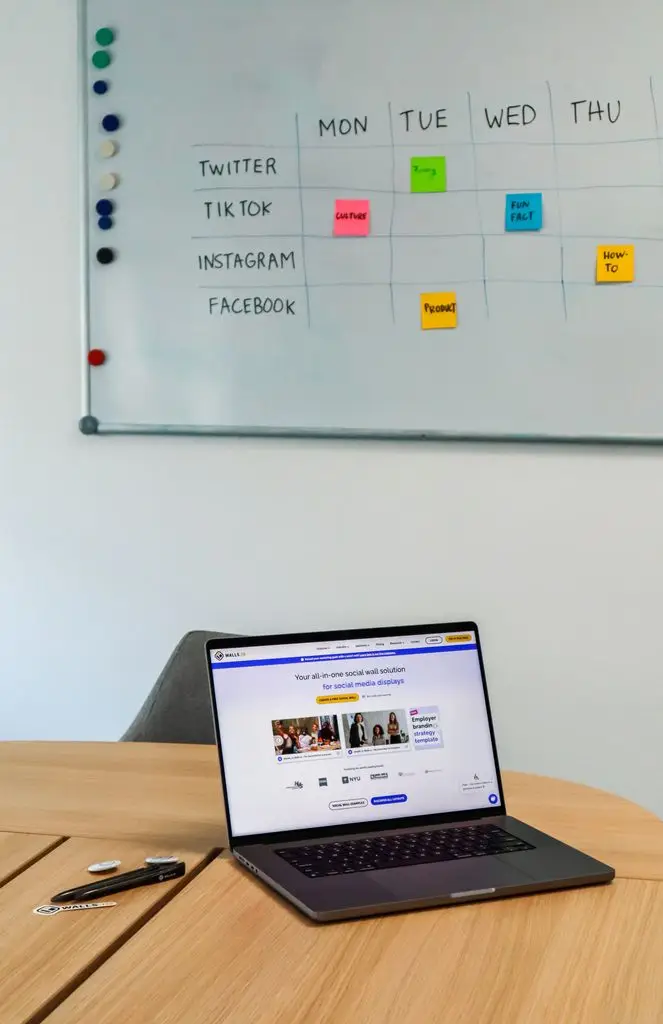
Facebook is still where many small businesses connect with local customers, especially older audiences and community groups. Sprout Social’s data shows the best times to post on Facebook are Tuesday and Wednesday from 12 to 8 p.m., with Monday lunchtime and Thursday afternoons also performing well. Weekends and early mornings are the weakest times.
Facebook’s peak engagement window also lasts longer than most, holding strong into the evening. People check it during lunch, then come back to scroll after dinner.
One honest note: organic reach on Facebook business Pages is low compared to other platforms, so most of your followers won’t see every post no matter when you publish. Timing helps, but pairing it with engaging content, like questions, photos of real people, and local news, matters even more here.
Best Time to Post on TikTok
TikTok audiences tend to settle in later in the day. According to Sprout Social, the best time to post on TikTok is Tuesday through Friday from about 2 to 6 p.m., with Wednesday offering the longest window, from 1 to 8 p.m. Weekends and early mornings see the least engagement.
People often save TikTok for when they have a few minutes to relax, like after school, after work, or in the evening. That’s why late afternoon is usually the best time to post on TikTok: it gives your video time to build momentum right as those viewers are logging on.
TikTok also works differently from Instagram and Facebook in one important way: the For You page shows videos based on interest, not just who follows you. That means a small business with only a few hundred followers can still reach thousands of local viewers if a video catches on. Good timing gives your video a strong start, but the first few seconds of the video itself decide whether people keep watching.
Best Time to Post on LinkedIn
If your business sells to other businesses, LinkedIn deserves a spot in your strategy. Sprout Social found the best times to post on LinkedIn are Tuesday through Thursday from 11 a.m. to 5 p.m., with late morning being especially strong.
LinkedIn follows the workday: professionals check it in the morning and around lunch to catch up on industry news. Unlike Facebook or TikTok, engagement drops off quickly in the evening and nearly disappears on weekends.
LinkedIn is a great fit for accountants, consultants, contractors, recruiters, and any business that wins work through relationships. Posts that share a lesson learned, a behind-the-scenes look at a project, or a team milestone tend to do well. Posting them from the owner’s personal profile, not just the company page, often reaches far more people.
Best Time to Post on X (Twitter)
Sprout Social’s data puts the best times to post on X at Tuesday through Thursday from 12 to 6 p.m., with weekends and early mornings performing worst. X is built for real-time conversation, so people check it for news, quick updates, and breaks in their workday.
For small businesses, X works best as a two-way channel. Customers often use it to ask questions or raise complaints, so replying quickly matters as much as when you post. Frequent, conversational posts and timely replies tend to beat polished announcements here.
What About Pinterest?
Pinterest peaks Tuesday through Thursday from about 10 a.m. to 1 p.m., with weekends the slowest. But because pins work like search results and can surface for months, clear titles and descriptions matter more than timing there.
What Changes the Best Time to Post for Your Business?
General data is based on millions of accounts, but your customers aren’t “average.” These factors can shift your ideal posting schedule:
- Your industry. A coffee shop’s customers might scroll at 7 a.m. before work, while a bar or restaurant may see its best engagement in the early evening. B2B companies usually do best during business hours.
- Your audience’s routine. College students, busy parents, retirees, and office workers all have free moments at different times.
- Time zones. If you serve customers across the country, schedule for where most of them live, not where you are. If your audience is split across time zones, a midday post can catch both. A Utah business with mostly local customers should plan around Mountain Time.
- Your goal. Want people to visit today? Post a few hours before they’d make that decision. Promoting a weekend event? Post midweek so people can plan ahead.
- The type of content. Quick updates and Stories can go out anytime. Longer videos and posts that ask people to take action deserve your strongest time slots.
- Seasons and holidays. Engagement patterns shift around the holidays, summer breaks, and big local events. Revisit your schedule a few times a year.
How to Find Your Own Best Time to Post
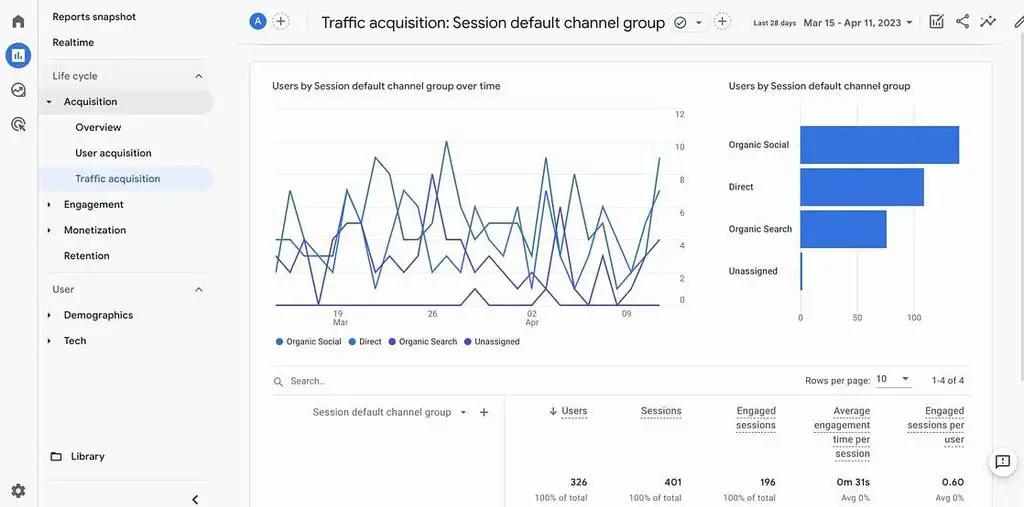
Big studies tell you what works on average. Your own data tells you what works for your customers, and every major platform gives it to you for free.
Step 1: Check When Your Followers Are Online
Start with the built-in analytics on each platform:
- Instagram: Switch to a free professional account, then open your Professional Dashboard and look at your follower insights. You’ll see the days and hours your followers are most active, the most reliable way to find the best time to post on Instagram for your account.
- Facebook: Meta Business Suite’s Insights shows how your posts perform and when your audience engages.
- TikTok: With a business account, TikTok Analytics shows follower activity by hour and day, so you can spot the best time to post on TikTok for your own followers.
- LinkedIn: Page analytics doesn’t show active hours directly, but you can compare how posts published at different times performed.
Write down the two or three peak times that show up most often across your accounts.
Step 2: Look at Your Best Past Posts
Scroll back through the last two or three months and find your top 10 posts by engagement. What were their posting times? If most of them went out on weekday afternoons, that’s a strong clue, even if it doesn’t match the general data.
Step 3: Test One Change at a Time
Pick a post time based on Steps 1 and 2 and stick with it for two to four weeks. Then try a different window for the same amount of time. Keep the type of content as similar as possible so you’re testing timing, not topic. A simple spreadsheet with the date, time, platform, reach, and engagement is all you need.
Step 4: Adjust and Repeat
Once a winner emerges, make it your default posting schedule. Then check in every few months. Audiences grow and change, platforms update their algorithms, and what worked last spring may not work this fall.
How Often Should a Small Business Post?
Timing and frequency go hand in hand. Here’s what the data suggests:
- Instagram: Buffer’s data points to 3 to 5 posts per week as the sweet spot for reach and growth without burning out.
- Facebook: About one post a day is plenty for most small businesses. Quality matters more than volume.
- TikTok: Two to five videos per week is a realistic target that gives the algorithm enough to work with.
- LinkedIn: Two to three posts per week keeps you visible without overwhelming your network.
- X: One to three posts a day, according to Adobe, since engagement tends to drop after the third. Replies to customers count as activity too.
Consistency matters most. Buffer’s research found that accounts tend to slip below their normal performance in weeks when they don’t post at all. Three solid posts every week will almost always beat ten posts one week and none the next.
If you’re short on time, marketing on social media works best when you pick one or two platforms where your customers actually spend time and do those well, rather than spreading yourself thin across five.
Tools That Make Posting at the Right Time Easy
Scheduling tools let you create posts ahead of time and publish them automatically at your best posting times, even while you’re running a business.
Free Built-In Schedulers
- Meta Business Suite: Schedule Facebook and Instagram posts, including Reels, from one place at no cost.
- TikTok: Business accounts can schedule videos ahead of time from the desktop site.
- LinkedIn: You can schedule posts directly from LinkedIn’s post editor.
How to Schedule Posts for Instagram
Learning how to schedule posts for Instagram takes just a few minutes in Meta Business Suite:
- Connect your Instagram professional account to your Facebook Page in Meta Business Suite.
- Click Create post or Create reel, then choose Instagram as the destination.
- Add your photo or video, caption, and hashtags.
- Choose Schedule, pick your date and time, and confirm.
Professional accounts can also schedule a post right in the Instagram app from the advanced settings before sharing.
All-in-One Scheduling Platforms
If you’re managing social media platforms like Instagram, Facebook, and LinkedIn all at once, tools like Buffer, Later, Hootsuite, and Sprout Social let you plan everything in a single calendar. Many also suggest optimal times to post based on your own account data, which takes a lot of the guesswork out of testing. You can also schedule for different time zones, which helps if your customers are spread out. Most offer free plans or trials.
Analytics Tools
Start with each platform’s free insights, then add Google Analytics to see which posts actually send people to your website. Adding UTM tags to the links you share shows exactly which platform and post drove each visit, so you can tie your posting schedule to real calls, bookings, and sales.
Frequently Asked Questions
What is the best time to post on social media for a small business?
For most small businesses, midweek, especially Tuesday and Wednesday, between late morning and late afternoon in your customers’ local time is a strong starting point. From there, use your own analytics to fine-tune.
What is the best time to post on Instagram for a small business?
The data points to weekday afternoons, with Tuesday and Wednesday performing especially well. Check your Instagram follower insights to see when your specific audience is online, since local businesses often see different patterns than national brands.
What is the worst day to post on social media?
Sunday tends to be the lowest-engagement day across most platforms. Saturday is often slow too. That said, some businesses, like restaurants, event venues, and entertainment spots, may see strong weekend engagement, so test before ruling it out.
Does posting time still matter with algorithms?
Yes, but less than content does. Algorithms look at early engagement to decide how widely to share a post, so posting when your audience is active gives good content a better start. A weak post won’t be saved by perfect timing, though.
What if my posts still don’t perform well?
If good timing isn’t helping, look at the content itself. Try a different format, like short video instead of photos, write a stronger first line or opening second, and ask a question to invite comments. Make sure you’re on the platforms your customers actually use, and give each change a few weeks before judging it.
Can small businesses really compete with larger brands on social media?
Yes. Small businesses have advantages big brands can’t buy: real faces, local knowledge, and personal replies. Platforms like TikTok and Instagram Reels show content based on interest, not follower count, so a well-timed, genuine post from a local shop can outperform a polished national ad.
The Takeaway: Start With the Data, Then Make It Yours
The best time to post on social media for small businesses usually falls in the middle of the week and the middle of the day. Instagram and Facebook shine in the afternoon, TikTok picks up in the late afternoon and evening, and LinkedIn peaks during business hours.
But the businesses that see the biggest results treat social media as marketing, not an afterthought. They use the general data as a starting point, check their own analytics, test a few posting times, and stay consistent week after week. Do that, and every post you create will have a better chance of reaching the customers who are ready to hear from you.
Ready to Grow Your Social Media?

At Green House, a student-led digital marketing agency in UVU’s Woodbury School of Business, we help small and medium-sized businesses build social media and marketing strategies that actually reach their customers, from content creation to scheduling and analytics, all at published rates. Our student team gets real-world experience, and you get a social presence that works as hard as you do.
Ready to get started? Book a free consultation with Green House
Tell us about your business, and we’ll show you what we can do and what it costs.